
Explore the software
See how it works
Choose an area, then move through the features.
Bring your business tools together Explore communication, forms, staff time, billing, and PPC Labs—and the tools you could consolidate.
Scheduling + Visit Management
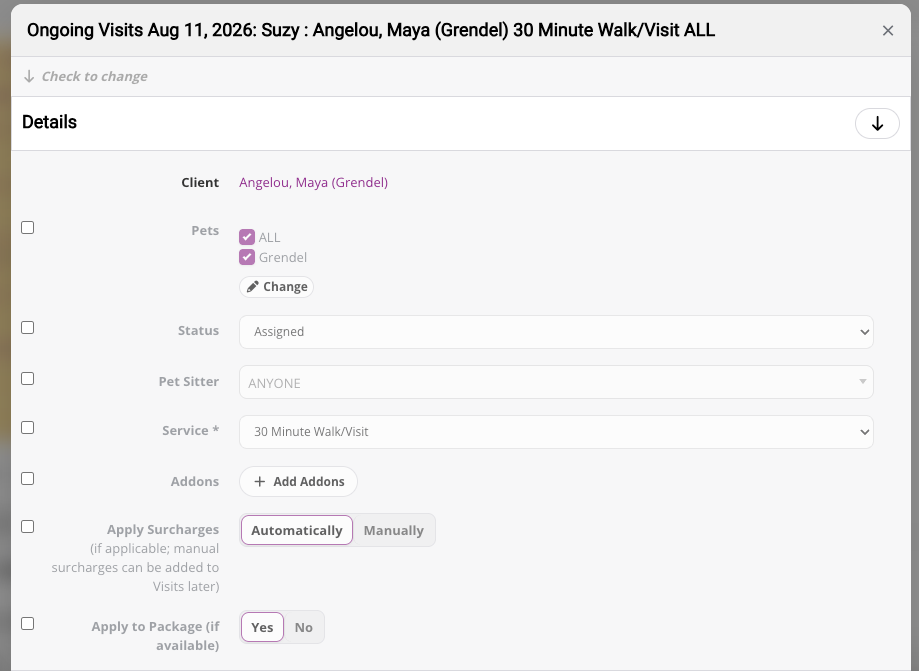
Manage daily visits and recurring schedules
Create and manage single visits and ongoing schedules without rebuilding the same schedule over and over. Keep visit details, assigned sitters, times, pets, services, and client information connected in one place.
Scheduling + Visit Management
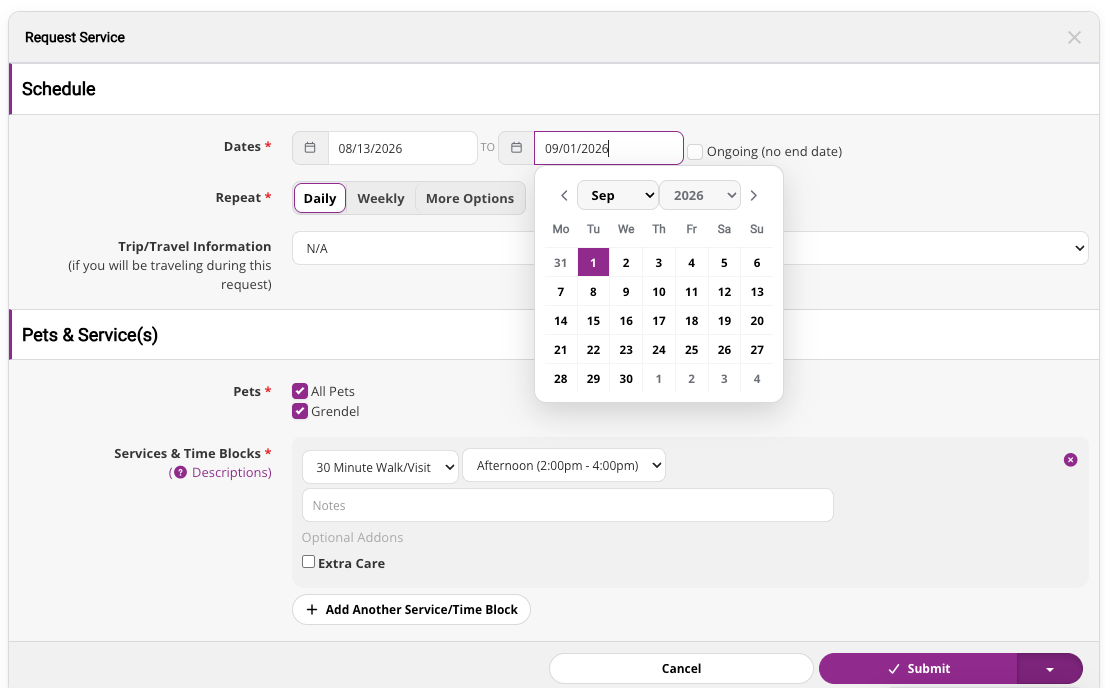
Let clients request service online
Clients can submit service requests, cancellation requests, and visit change requests through their client account. Your team can review requests before updating the schedule, reducing back-and-forth communication.
Scheduling + Visit Management
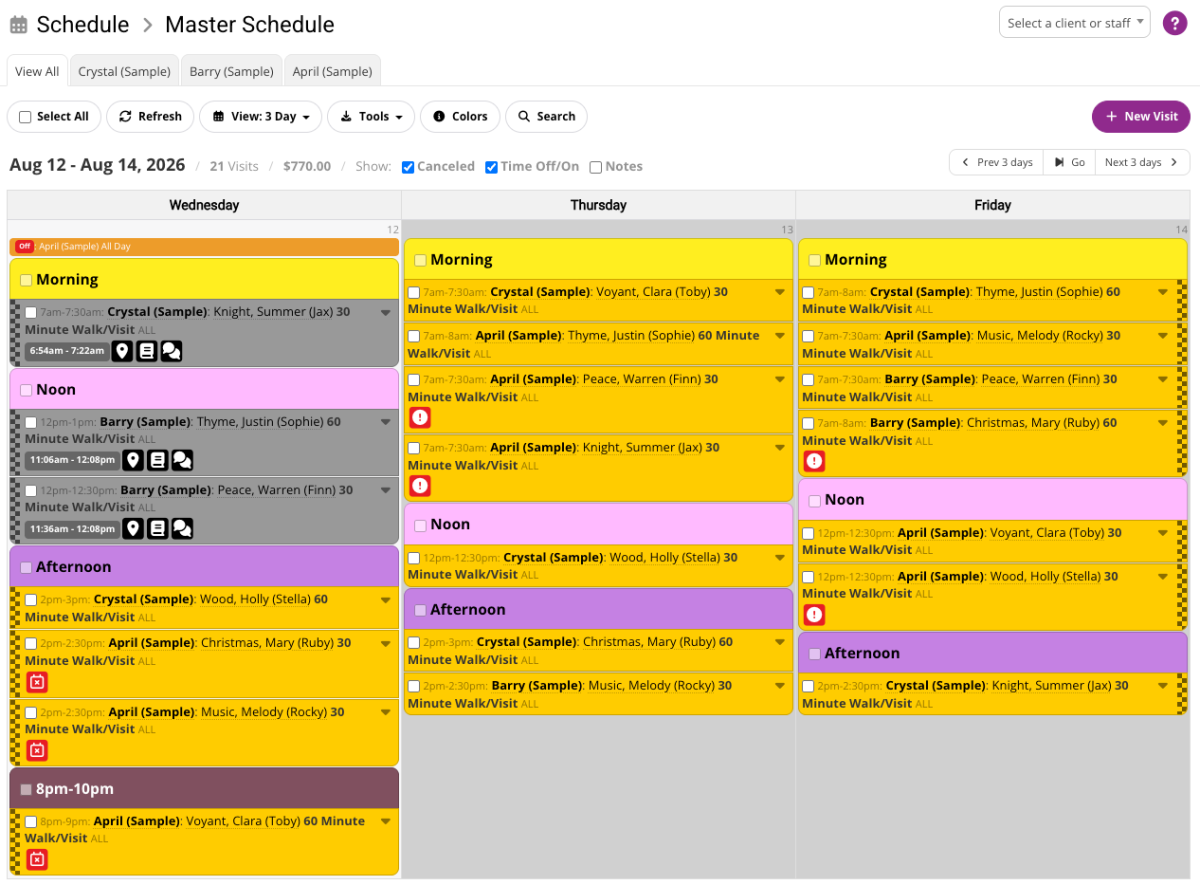
Assign visits with the full picture
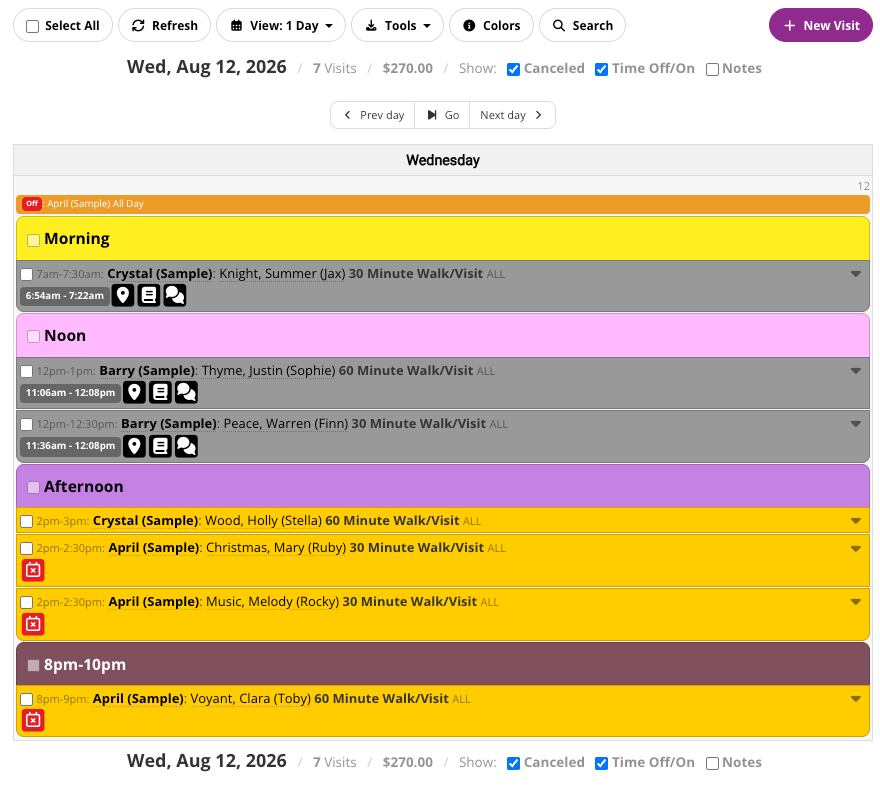
Use sitter availability, time off, assignments, and schedule views to help place the right sitter on the right visits. Precise Petcare also helps flag overbooked conflicts so scheduling issues are easier to catch.
Scheduling + Visit Management
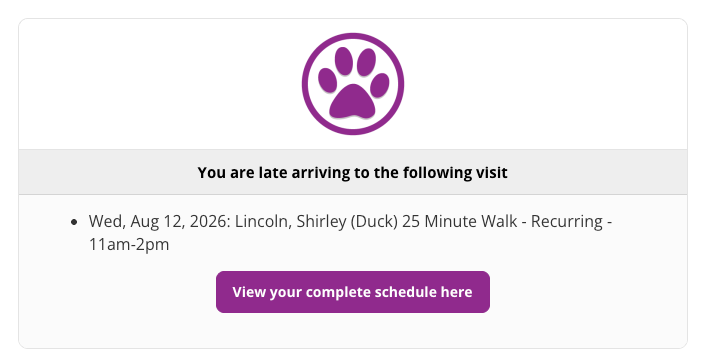
Catch late arrivals before they become bigger problems
Use Late Arrival Alerts to help monitor visit timing and identify visits that need attention. Managers get better visibility into whether field work is happening on schedule.
Scheduling + Visit Management
Built for schedules that get more complex over time
As your team grows, scheduling becomes more than placing visits on a calendar. Precise Petcare connects scheduling with staff availability, client requests, billing, payroll, GPS tracking, Pet Care Journals, and reporting so your operation stays coordinated.
Mobile App + GPS Tracking
Mobile assignments for sitters
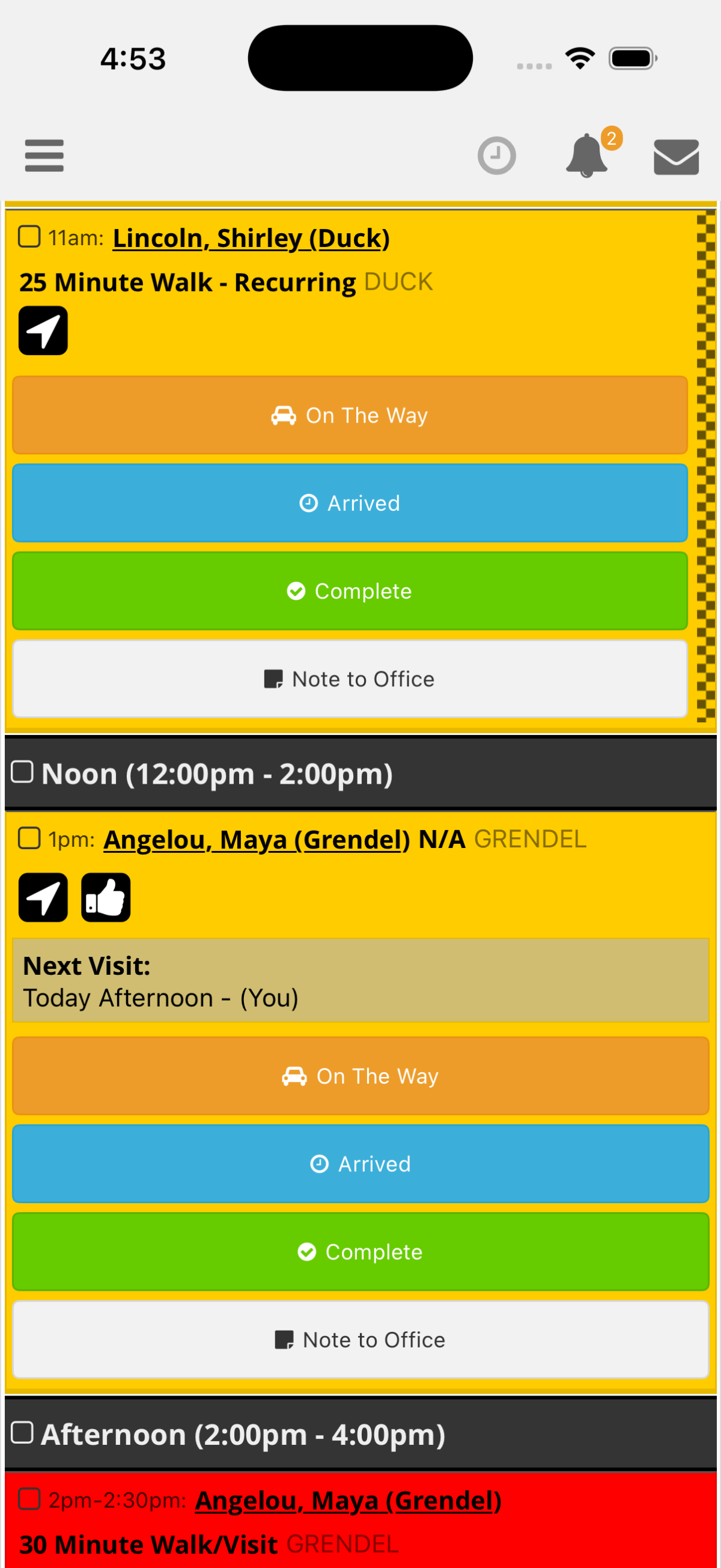
Sitters can use the mobile app to view assignments, check visit details, receive push notifications, and complete visit workflows without contacting the office for routine schedule information.
Mobile App + GPS Tracking
Track visits from arrival to completion
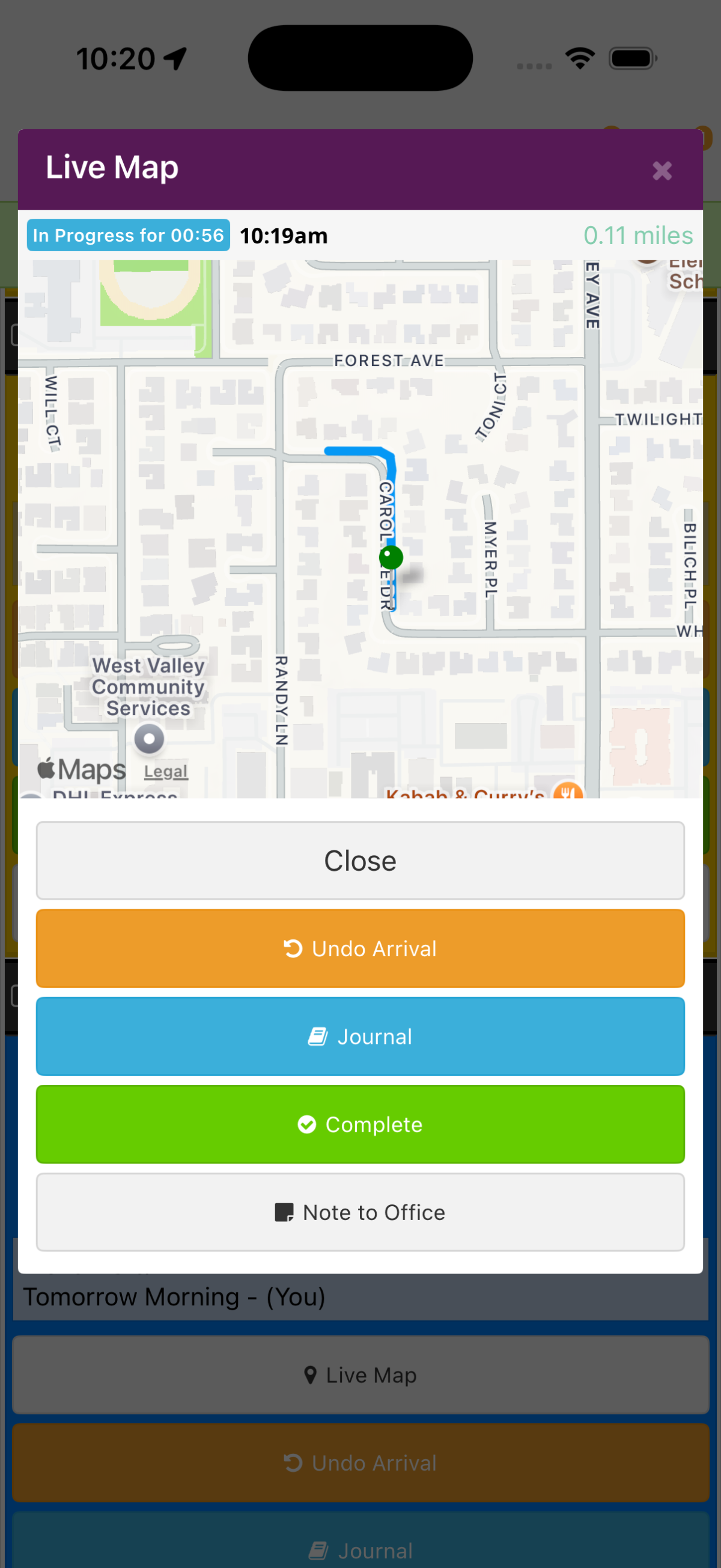
The mobile app supports full walk GPS tracking, arrival and completion actions, and field activity details. Managers can review GPS information to better understand what happened during service.
Mobile App + GPS Tracking
Monitor visits from the management side
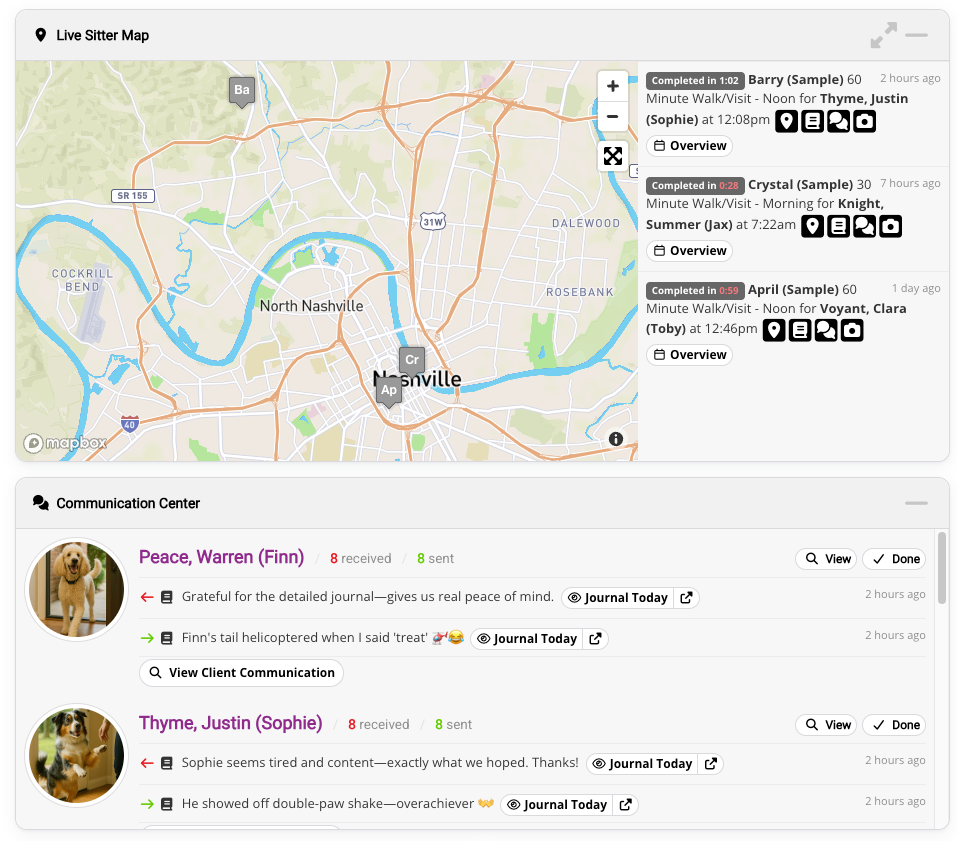
Managers can review sitter location activity, GPS tracking details, visit status, and late arrival information from the dashboard. This gives your business better visibility into field operations.
Mobile App + GPS Tracking
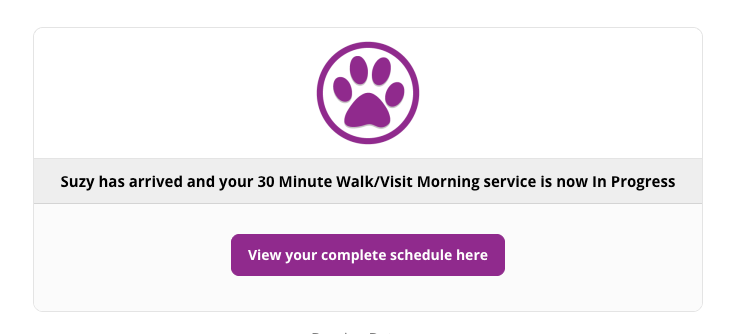
Keep clients informed when visits begin
Send an automatic arrival update when a sitter starts a visit, giving clients timely reassurance without requiring an extra message from the sitter or office.
Mobile App + GPS Tracking
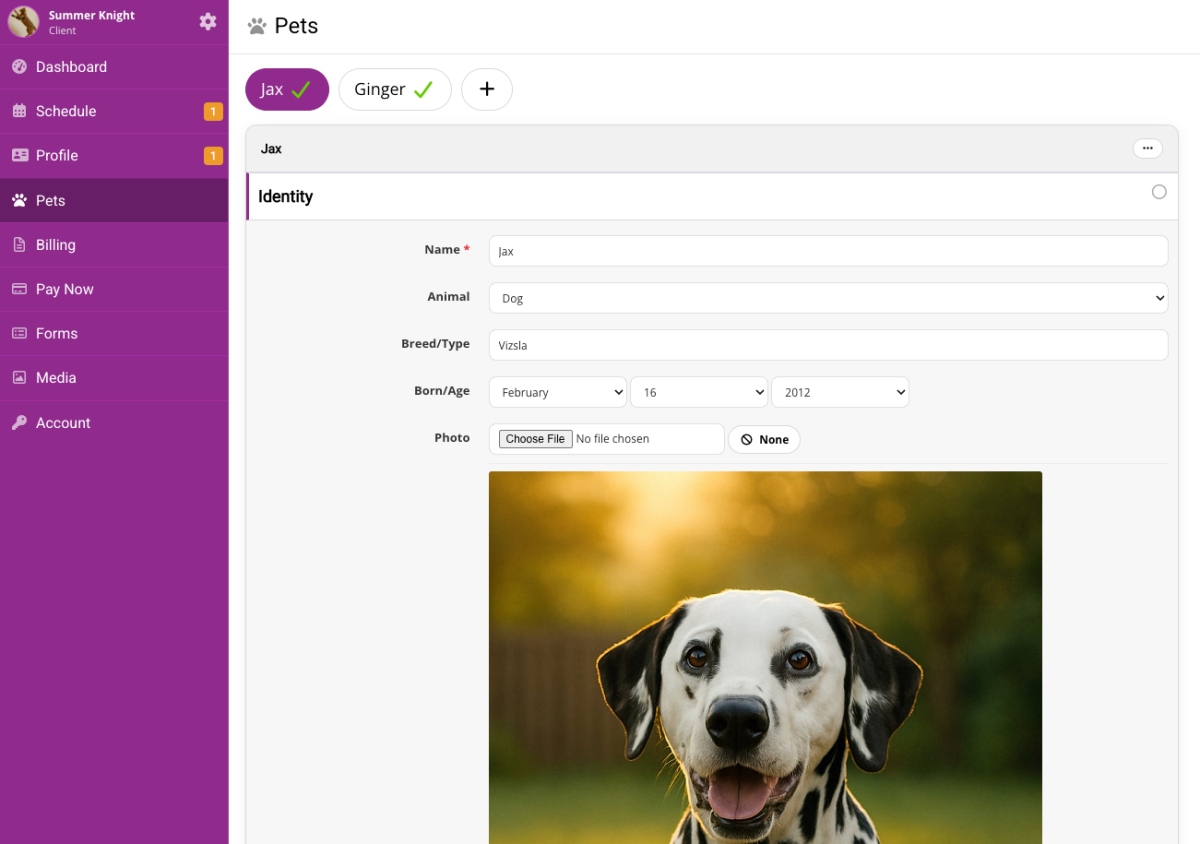
Give clients mobile access too
Clients can use the mobile app to review schedule information, receive notifications, view Pet Care Journals, and communicate with your business through their accounts.
Client Communication + Pet Care Journals
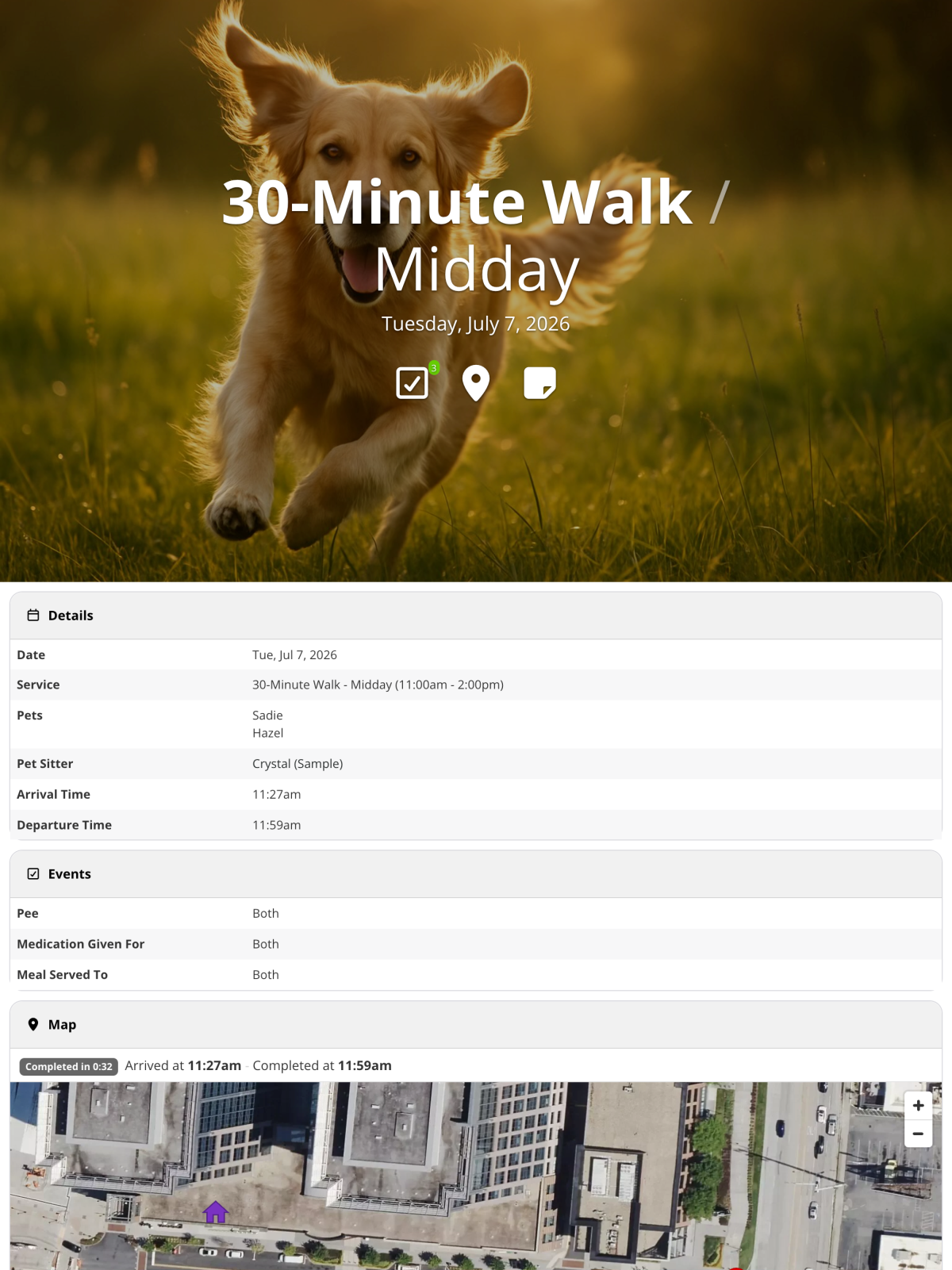
Turn each visit into a professional client update
Pet Care Journals let sitters share visit notes, care details, and photos with clients. They help clients understand what happened during service while giving your team a consistent, professional communication workflow.

Client Communication + Pet Care Journals
Confirm upcoming visits automatically
Send customizable visit confirmation emails automatically or on demand so clients know what is scheduled without needing to log in. Clear confirmations reduce manual reminder work and help prevent avoidable schedule confusion.
Client Communication + Pet Care Journals
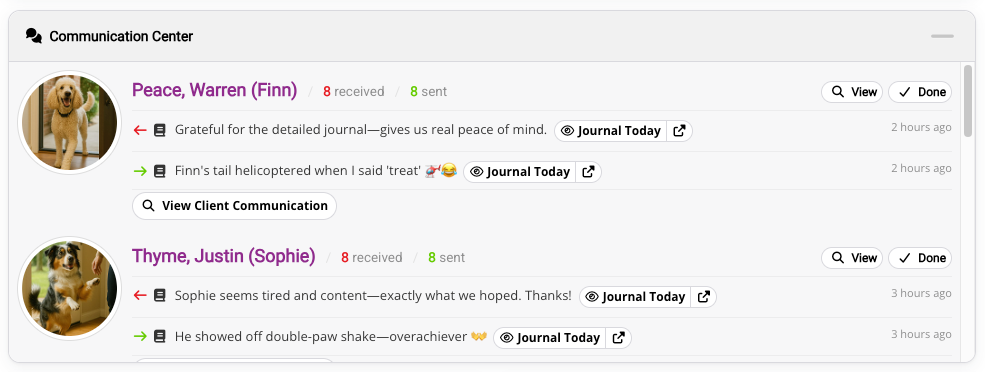
Keep communication connected to the work
Use the Communication Center to review recent client and staff messages from the dashboard. Messages, visit notes, journal comments, SMS, and communication logs stay connected to the same system your team uses for schedules, visits, clients, and pets.
Client Communication + Pet Care Journals
Reduce repetitive communication as you grow
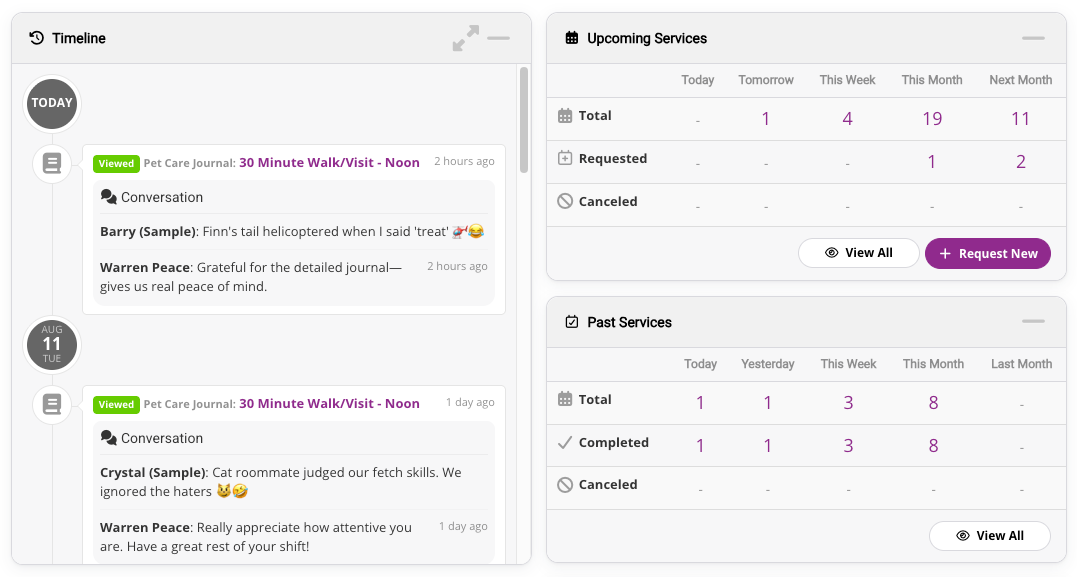
Give clients a chronological view of Pet Care Journals, photos, invoices, and other time-sensitive account activity. Confirmations, canned responses, SMS, and message history help your team communicate consistently without relying on scattered texts and inboxes.
Client Self-Service + Onboarding
Move new-client setup into a structured portal
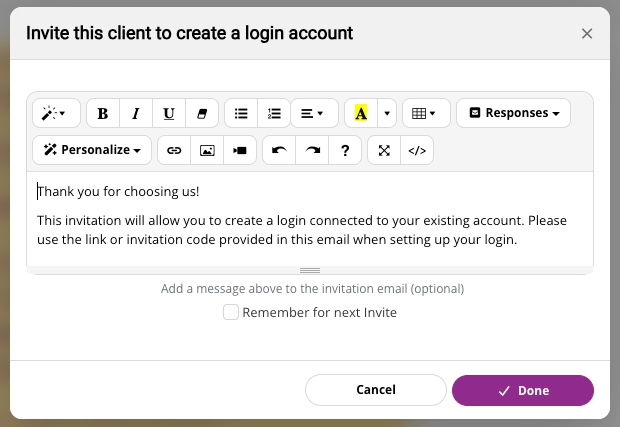
Let clients register online or connect to an existing profile through a customizable invitation. New-client setup moves out of email threads and into a controlled portal where each client chooses their own login.
Client Self-Service + Onboarding
Keep client and pet information usable
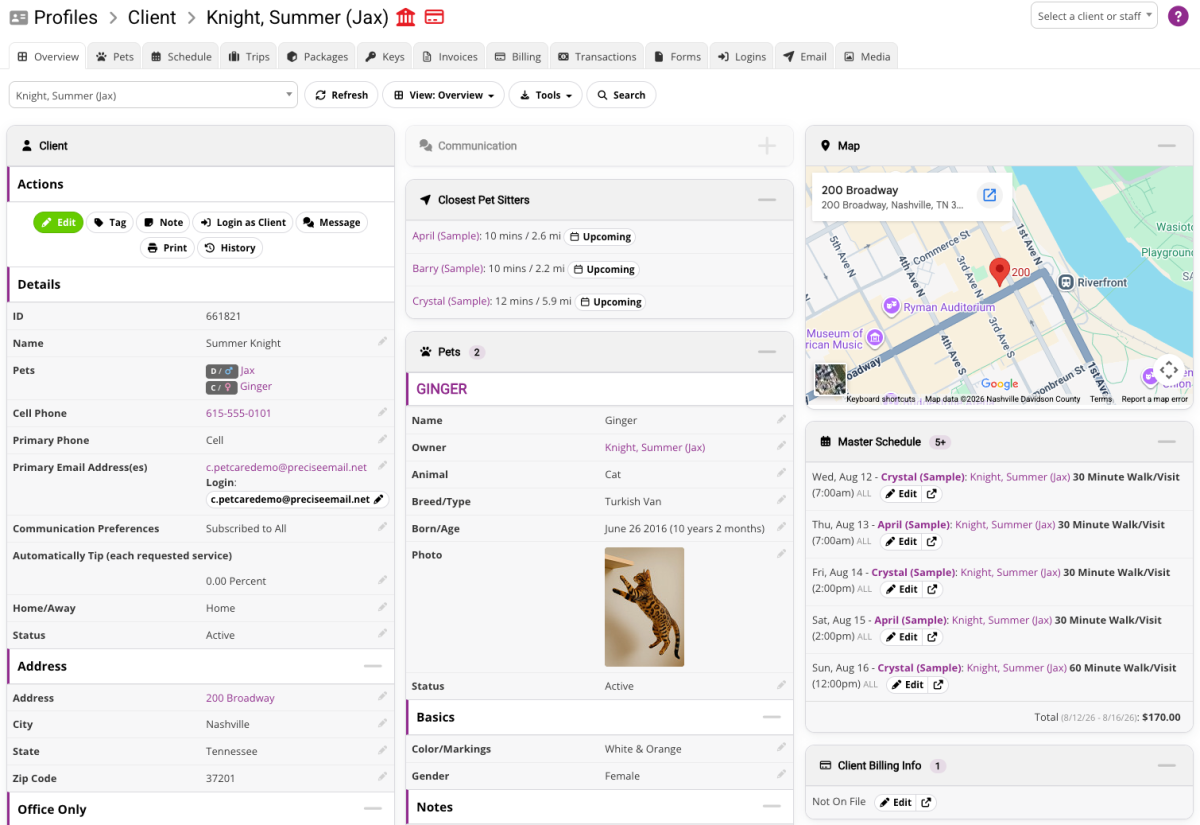
Store client profiles, pet profiles, care instructions, contact details, veterinary information, access notes, files, photos, and custom fields in the system your team already uses for scheduling and service.
Client Self-Service + Onboarding
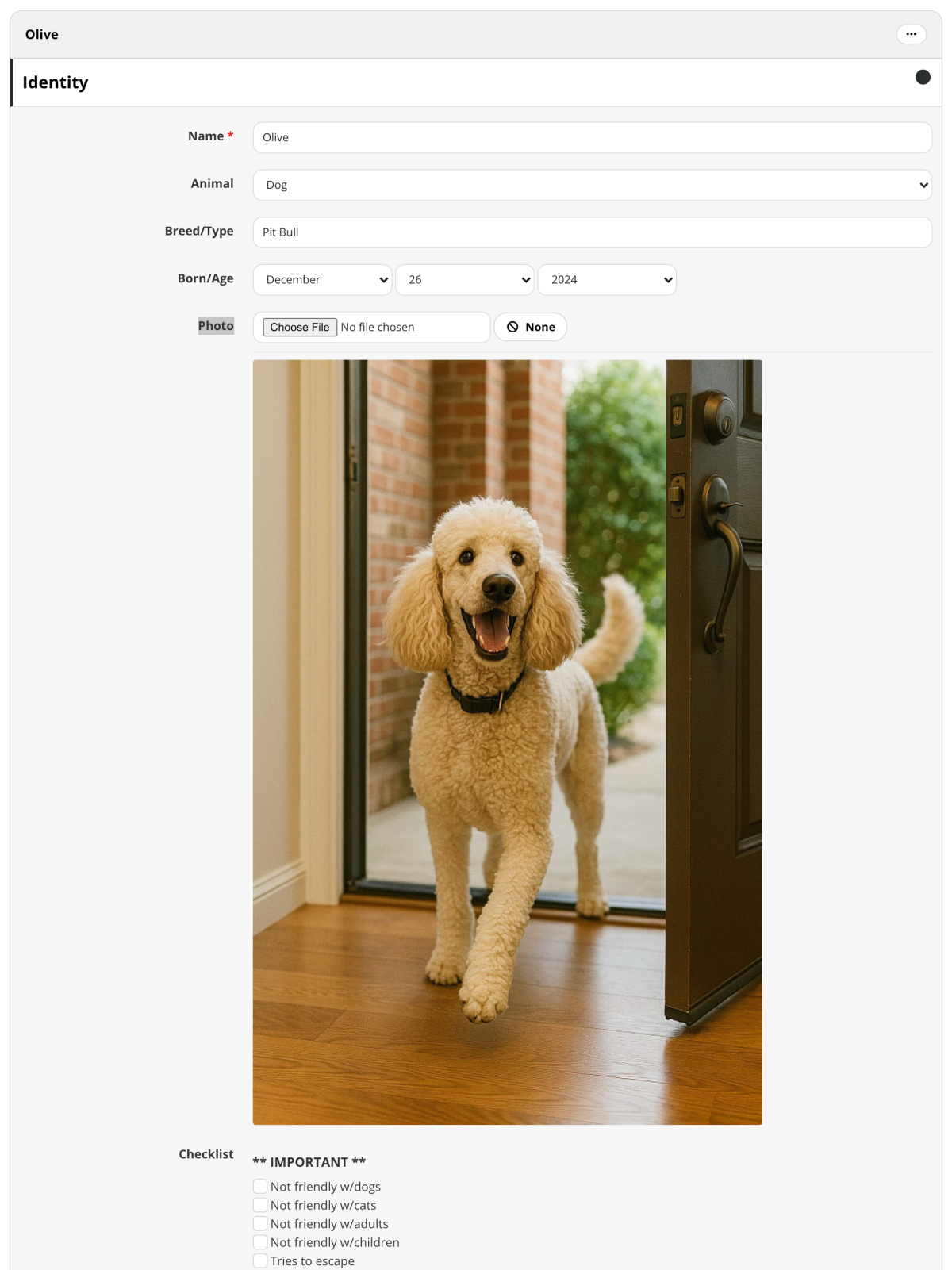
Let clients keep pet details current
Client Self-Service + Onboarding
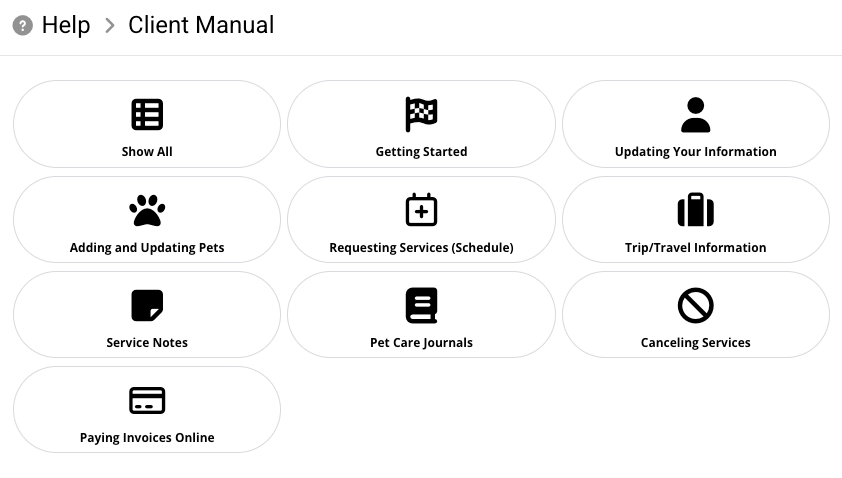
Guide clients with a branded self-service manual
Give clients a customizable manual that reflects your colors, logo, company name, and current account settings. The manual helps clients understand how to use their portal without adding repetitive explanation for your office.
Billing, Payments + Reports
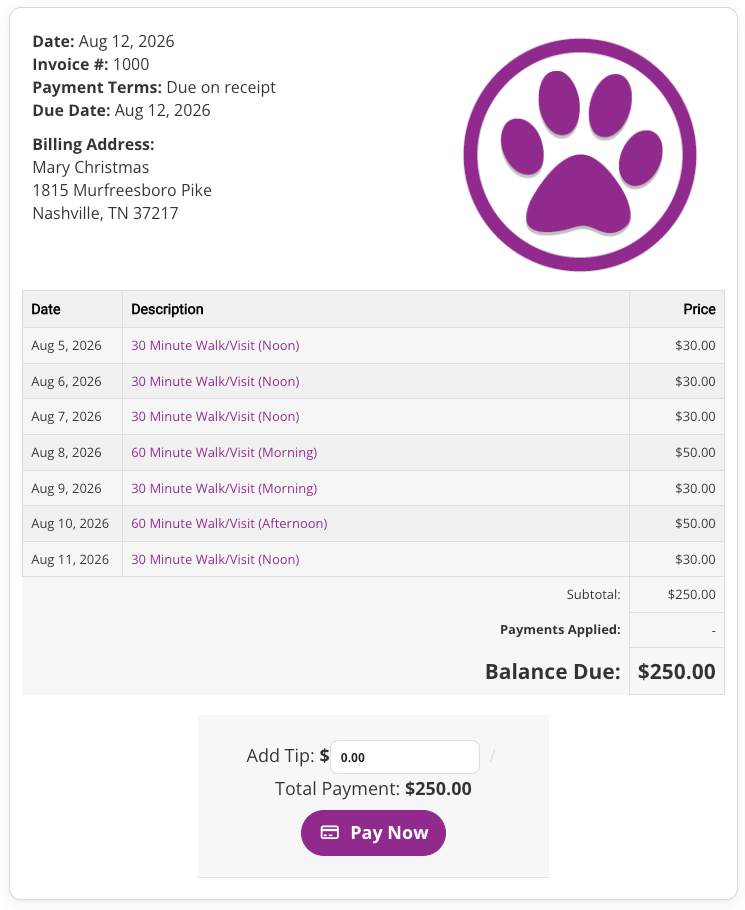
Accept online payments and keep cards on file
Use an integrated credit card gateway to accept online payments, keep cards securely on file, and process invoices from the same system that manages your clients and scheduled services. Automatic processing can charge eligible invoices on their due dates.
Billing, Payments + Reports
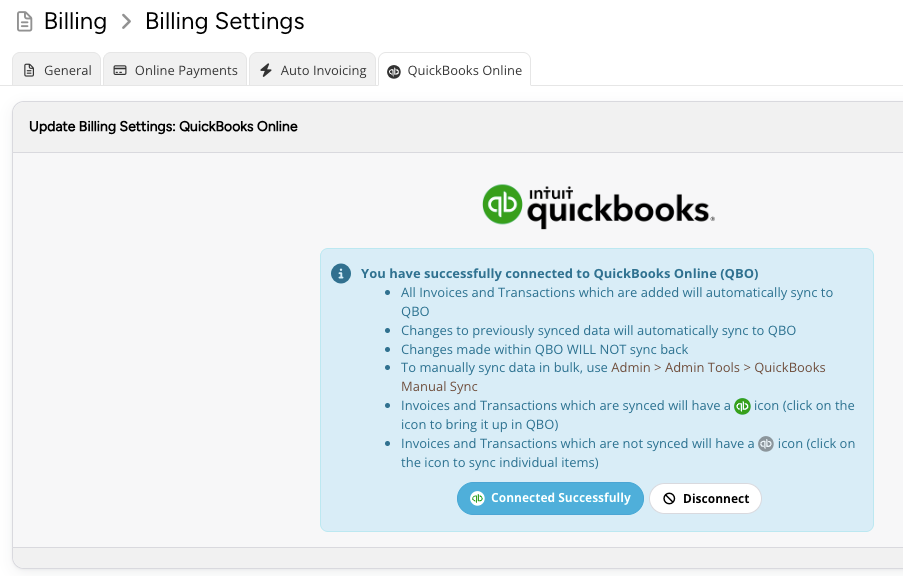
Sync billing activity with QuickBooks Online
Sync invoices and transactions to QuickBooks Online so your accounting records stay connected without manually transferring the same billing activity between systems.
Billing, Payments + Reports
Automate repetitive billing work
Create, brand, store, and track client invoices and quotes in Precise Petcare. Auto Invoice Creation can generate invoices on the schedules you choose, reducing the need to build every invoice by hand.
Billing, Payments + Reports
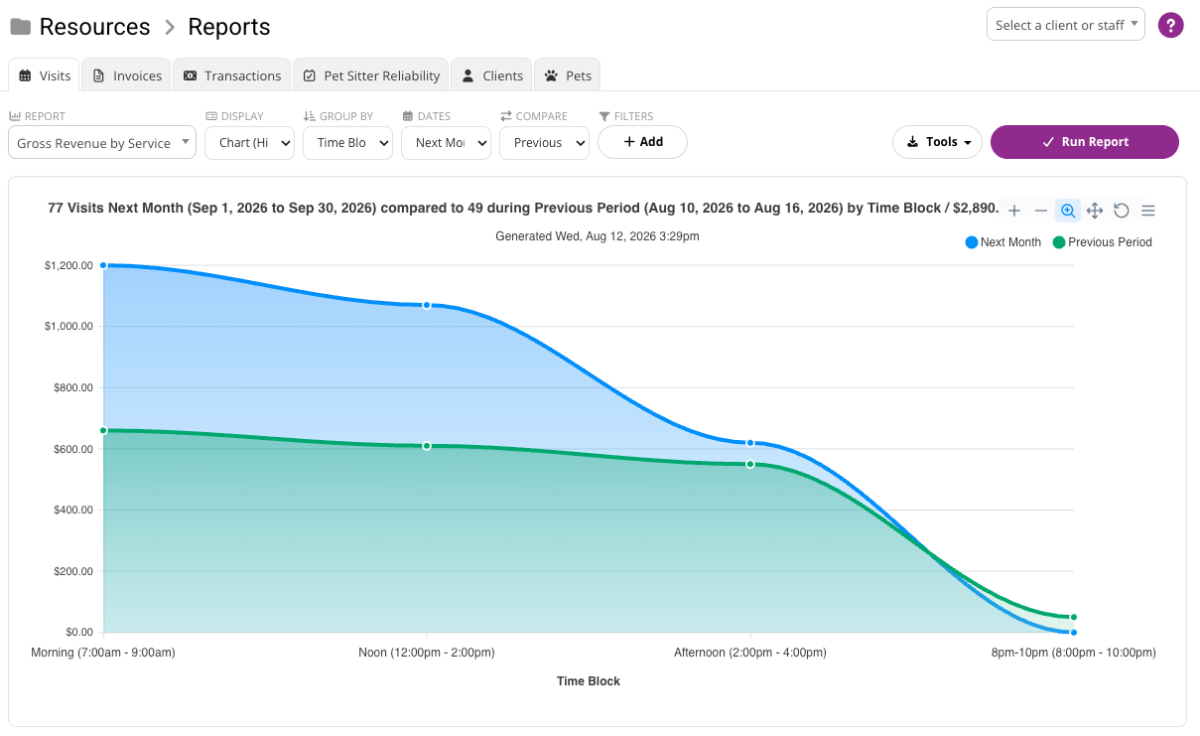
Report on revenue and operations
Review income, staff pay, assignment, and billing reports to understand what was earned, what was billed, and when activity occurred. Use assignment-based views for operational insight and billing-based views for cash-flow and tax reporting.
Billing, Payments + Reports
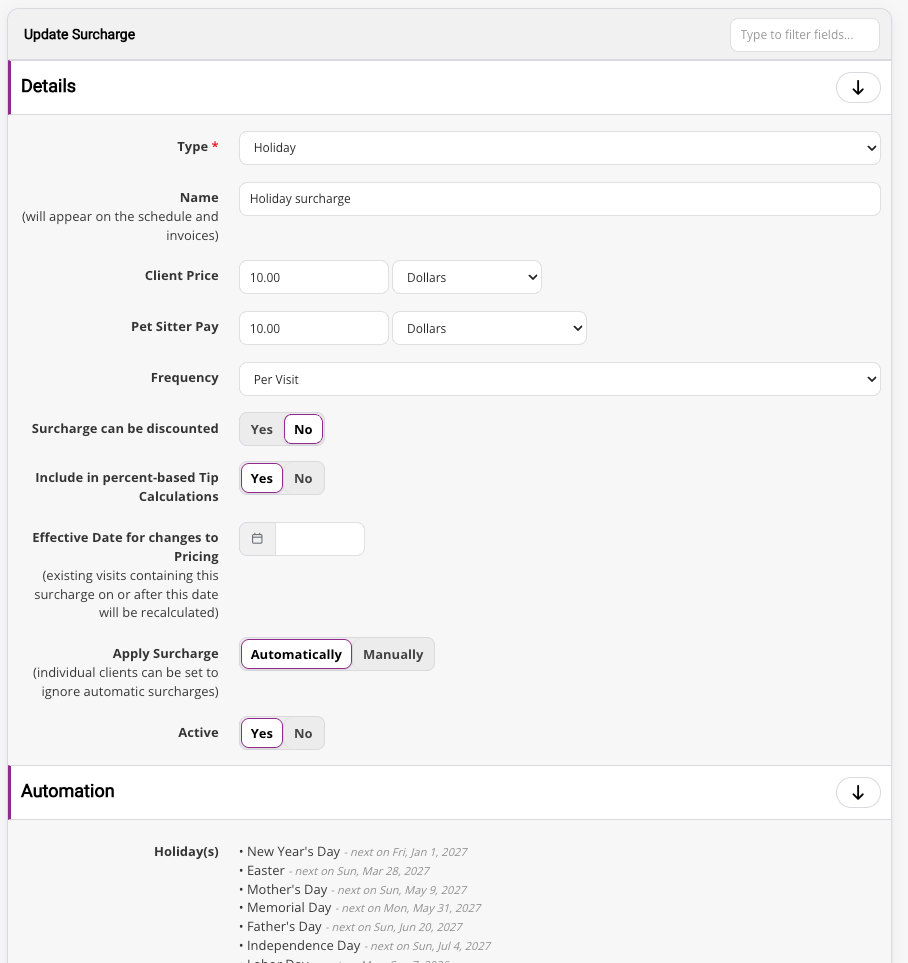
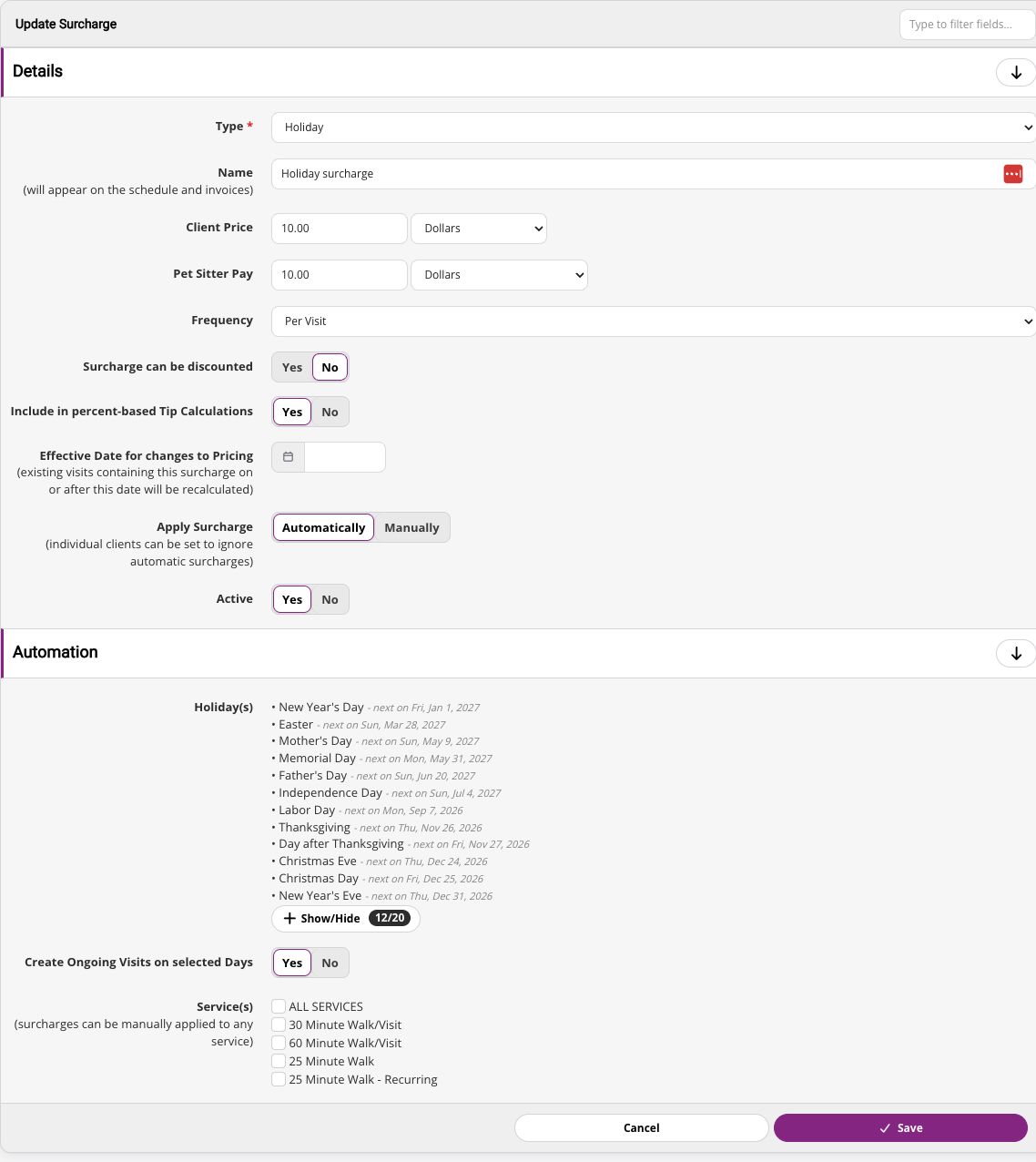
Handle complex pricing rules automatically
Automatically add fees or staff pay to visits when your rules apply. Configure surcharges for holidays, weekends, specific times, locations, last-minute requests, and other custom conditions.
Staff Management + Payroll
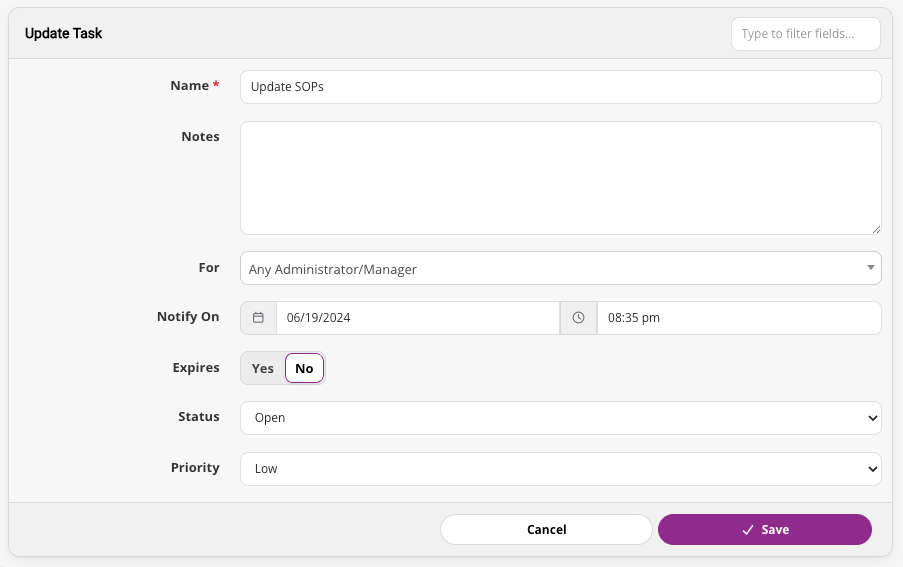
Keep team tasks visible and assigned
Create and assign one-time or recurring tasks to individual staff members or groups. Tasks appear in the appropriate team members' notifications, helping managers keep administrative and field work from slipping through the cracks.
Staff Management + Payroll
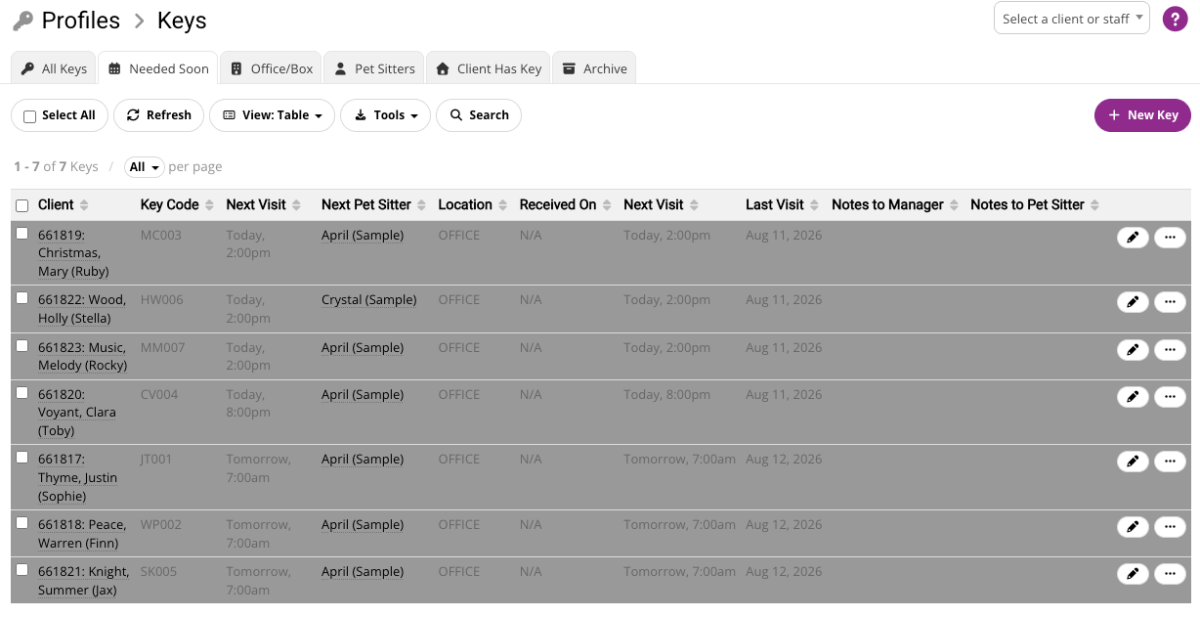
Keep client access organized
Track where each client key is, who has it, and when it should be picked up or returned. Configure approval-based key requests or allow trusted sitters to manage pickup and return while preserving a clear location history.
Staff Management + Payroll
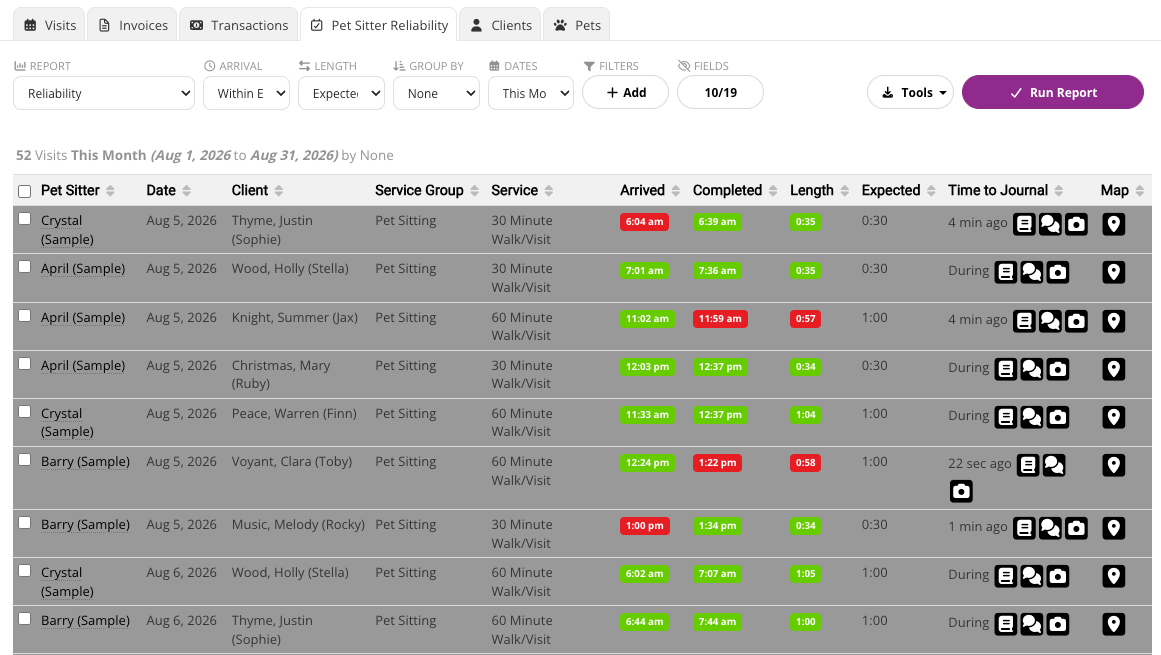
See where coaching or follow-up is needed
Review whether sitters arrived on time and stayed for the expected visit length. Clear reliability indicators help managers recognize dependable work, investigate exceptions, and coach staff using consistent operational data.
Staff Management + Payroll
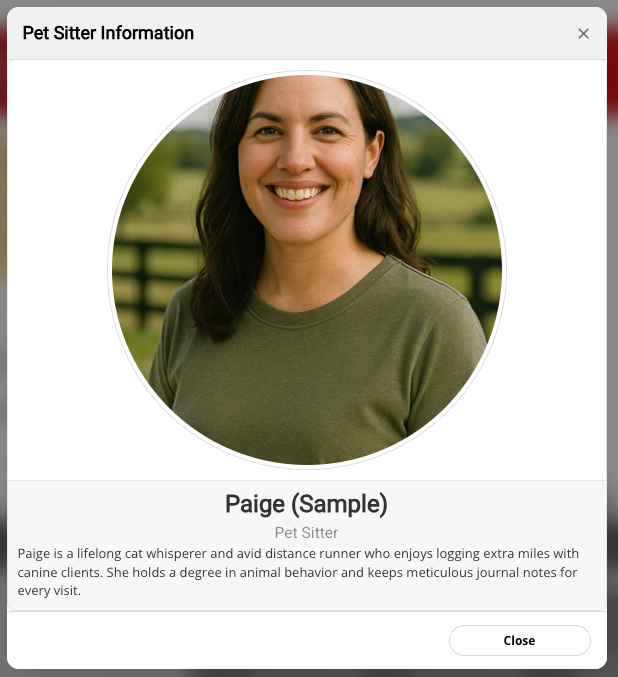
Introduce staff before service
Share optional staff biographies and photos so clients can get to know the people caring for their pets. A professional introduction can build confidence while reinforcing the quality of your team.
Staff Management + Payroll
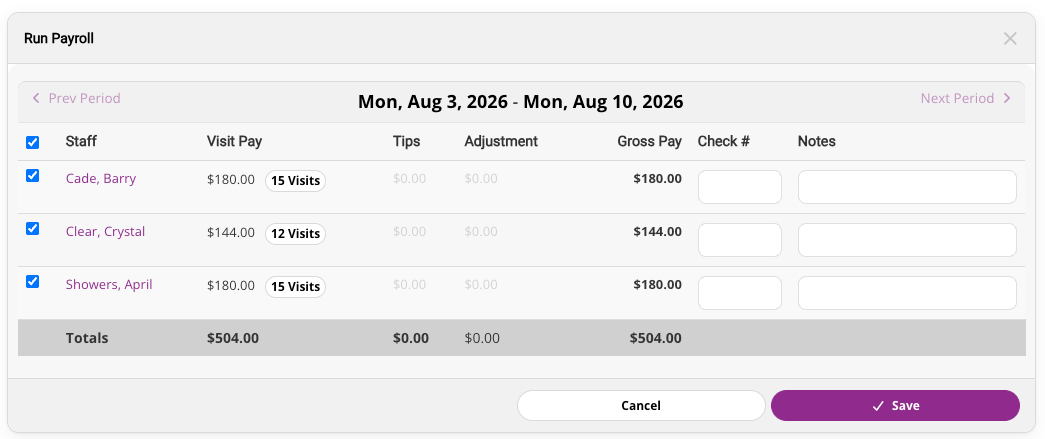
Turn completed visits into staff pay
Review staff compensation by visit and pay period, make adjustments when needed, and keep payroll connected to the services your team completed.